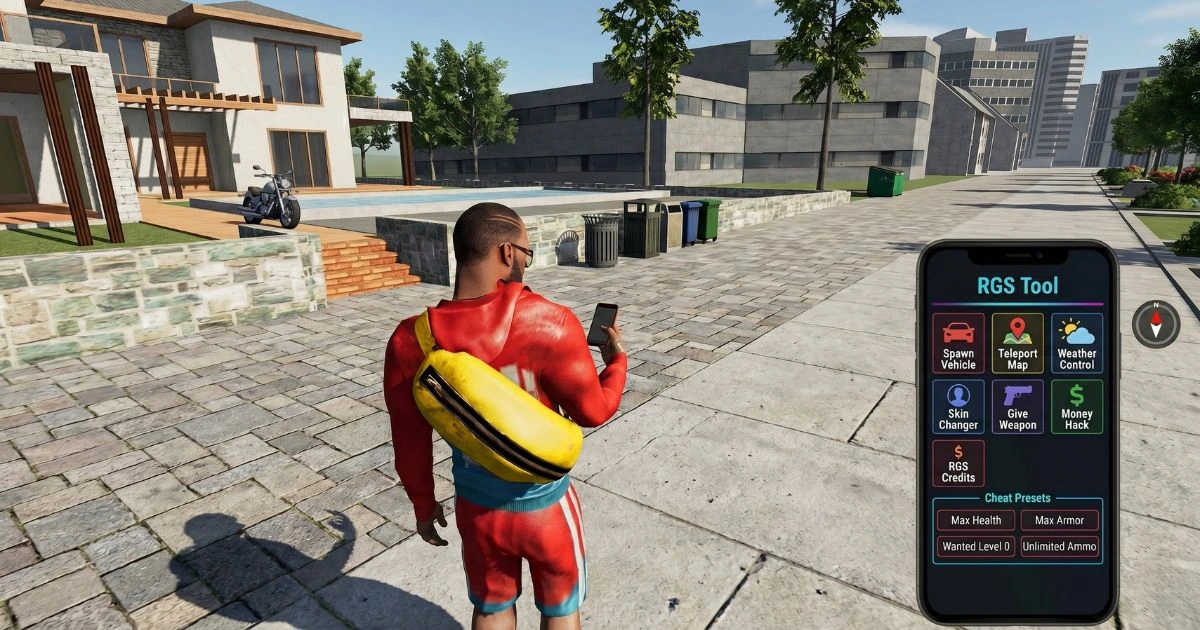
The RGS Tool is one of the more unusual features in Indian Bike Driving 3D. Rather than spawning vehicles or changing physics, RGS codes let you place buildings, houses, props, and special characters into the city environment. It functions as a basic creative mode within the driving game — a set of tools for players who want to customise or expand their city beyond what the base map provides. This guide explains what the RGS Tool is, how all the codes work, and what each spawn actually does in your session. Full code list including all vehicle and effects codes available at our feature codes page.
What is the RGS Tool?
RGS stands for the in-game creative/placement system that the developer built into Indian Bike Driving 3D alongside the main feature code infrastructure. While vehicle codes spawn rideable objects and effects codes change physics, RGS codes place static or animated objects into the world around you. Think of it as a light sandbox mode layered over the driving game. It reflects the developer's approach to keeping the game fresh with content that goes beyond standard driving game additions.
How to enter RGS codes
The method is the same as all feature codes: tap the phone icon at the bottom left of the screen, tap the green handset, tap the 9-dot dial pad, enter the code, and press call. RGS codes are typically two to five characters and follow a different naming convention to the numeric vehicle codes — most use a letter prefix followed by a number.
Building Codes — b1 through b10
The building codes (b1, b2, b3 through b10) each place a different building structure into the city environment at or near your current location. Each building has a different design reflecting various Indian architectural styles and building types. The variety across b1 through b10 covers residential, commercial, and landmark-style structures.
Buildings are static objects once placed — they do not move or interact with traffic. Their primary use is visual: placing multiple buildings in an open area of the map to create a denser neighbourhood feel, or using specific buildings as landmarks for navigation during free roam sessions.
House Codes — h1 through h10
House codes (h1 through h10) work on the same principle as building codes but place smaller residential structures. Houses are lower and more compact than the building code spawns, fitting naturally into residential district areas of the city map. Placing a sequence of houses in an open area gives the impression of building a new neighbourhood within your session.
The house codes pair well with the More NPCs code (12345) — adding more pedestrian characters to an area where you have also placed houses creates a more populated residential feel that is distinct from the base city environment.
Prop Codes — r1, p2 through p10
Prop codes place smaller interactive or decorative objects into the environment. The r1 code and the p2 through p10 range cover items such as street furniture, decorative elements, and mid-sized props. Each p-code places a different item, and experimenting with the full range reveals what is available in the prop library.
Props are more varied in shape and purpose than buildings or houses. Some are functional-looking (furniture, equipment), others are purely decorative. Players who use the RGS system creatively to build custom environments in open map areas will find the prop range essential for adding detail to larger structures.
RGS Dance — Code: npdance
The npdance code triggers a dance animation on nearby NPC characters. Unlike the pd1 character dance code (which applies to your character), npdance affects the NPCs around you. Activating this in a densely populated area of the city — particularly after using the More NPCs code (12345) — creates a wide-scale animation event that is one of the more unexpected and entertaining things the game can produce. It has no gameplay effect but is a reliable crowd-pleaser and one of the more frequently shared moments from Indian Bike Driving 3D sessions.
Special Character Codes
Payal Character — Code: pm9
The pm9 code spawns the Payal character into the game environment. Payal is a named character addition that the developer introduced as part of expanding the game's roster of personalities. As a spawn, Payal exists as an NPC in the city and can be observed interacting with the environment. This code was added as part of the newer content updates and reflects the developer's ongoing additions to the character system.
Hulk RGS — Code: pm10
The Hulk RGS code is one of the most dramatic character spawns available. The Hulk is a large, powerful character that stands out dramatically against the scale of normal NPCs and city infrastructure. Placing the Hulk in a busy city area creates a scene that captures attention immediately and is visually striking even by the standards of a game that already contains dinosaurs and UFOs. The pm10 code is among the newer additions to the game's code roster (2026) and has quickly become a popular entry on RGS lists.
Creative uses of the RGS system
Building custom routes
Placing buildings and props along a specific path on the map effectively creates a new visual route through sections of the city that were previously open or underdetailed. Some players use RGS spawns to mark checkpoints for self-designed free roam challenges.
Scene creation for screenshots and video
The combination of RGS buildings, props, special characters, and effects codes gives players significant creative control over what appears on screen. Players who share their gameplay through video or screenshots use RGS extensively to create unusual or visually impressive scenes — a Hulk standing beside a Brachiosaurus next to RGS buildings, for instance.
Combining RGS with effects codes
Moon Gravity (code: 7112) combined with RGS props creates interesting physics interactions where spawned objects may be affected by the changed gravitational settings. Night Mode (code: 9) changes the lighting on RGS buildings dramatically, giving them a different appearance than in daytime conditions.
Frequently Asked Questions
Do RGS spawns persist between sessions?
RGS spawns are session-based. Restarting the game or loading a new session will clear placed buildings, props, and characters.
Can I remove a specific RGS spawn without restarting?
There is no specific undo code for individual RGS spawns. To clear all spawns, restarting the game session is the most reliable method.
How many RGS objects can I place at once?
The game handles multiple simultaneous RGS spawns, though placing a very large number of objects may affect performance on lower-specification devices. Place objects gradually and monitor frame rate.
Are there more RGS codes beyond what is listed?
The developer updates Indian Bike Driving 3D regularly and adds new codes over time. Check our feature codes page for the most current list including any new RGS additions.
Conclusion
The RGS Tool system in Indian Bike Driving 3D is a layer of creative play that sits outside the main mission and vehicle structure. It rewards players who want to interact with the game's world as a space to customise rather than only a circuit to complete. Whether you are placing buildings to build a new district, spawning the Hulk for a dramatic screenshot, or triggering npdance in a crowd, the RGS codes add meaningful variety to the game's feature set. Combine them with vehicle codes and effects codes for the fullest expression of what Indian Bike Driving 3D's creative system can produce. Full code list at our feature codes page, and mission guides in our guides section.