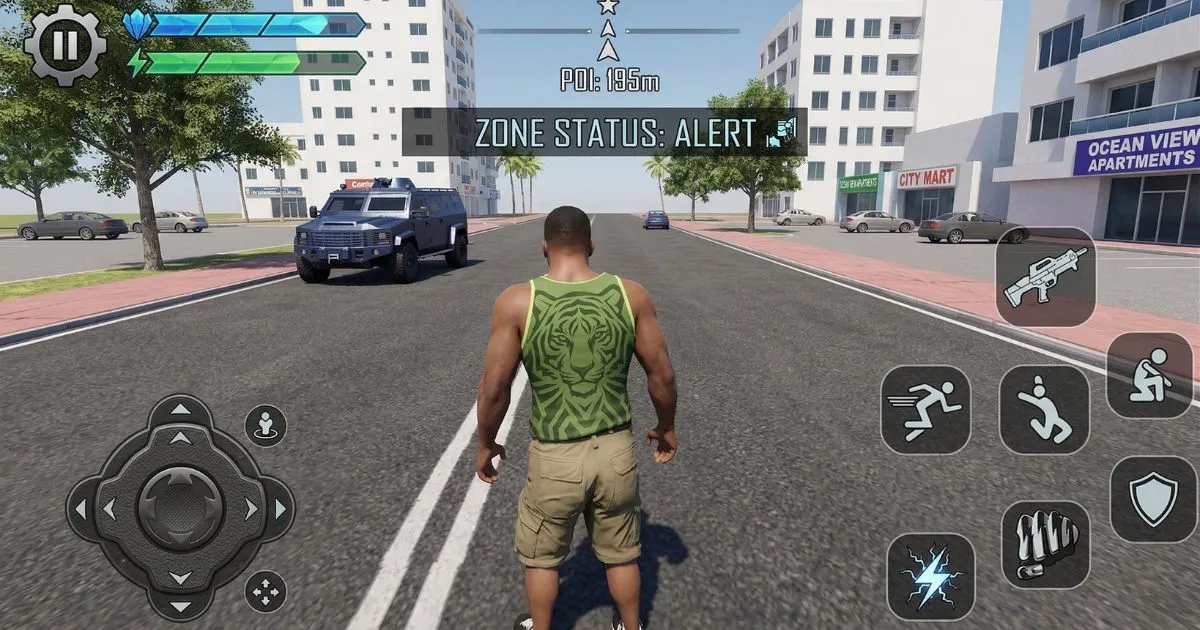
Mastering the controls in Indian Bike Driving 3D is the single most important skill you can develop. The game gives you several control options and a range of settings to fine-tune your experience, but most players never explore beyond the defaults. This guide covers every control option in detail, explains the physics behind the bike handling, and gives you specific settings recommendations that will immediately improve your riding.
Control Options Overview
Indian Bike Driving 3D offers two primary control styles: touch controls and tilt controls. Both have their advantages, and the best choice depends on how you naturally hold your phone and what kind of riding you are doing. You can switch between control styles in the Settings menu at any time, so experimenting with both costs nothing.
Touch controls use on-screen buttons for steering left and right, with separate throttle and brake buttons. This gives you precise, predictable inputs that do not depend on your phone's physical orientation. Touch controls are recommended for mission play and any situation where consistency matters more than feel.
Tilt controls steer the bike by physically tilting your phone left and right. This can feel more immersive and intuitive, especially for players who have experience with other mobile racing games. However, tilt controls are sensitive to how you hold your phone and can produce inconsistent inputs when you shift position. If you use tilt controls, find a comfortable holding position and try to maintain it throughout each session.
The Throttle and Brake Buttons
Regardless of which steering method you use, throttle and brake are always handled by on-screen buttons. The throttle button is on the right side of the screen and the brake is on the left. Learning to use these smoothly is more important than any other control technique in the game.
The most common mistake new players make is holding the throttle fully open all the time. Maximum throttle is appropriate on straight open roads, but anywhere near a corner, intersection, or traffic cluster, you need to be modulating your speed. Practice pressing the throttle partially rather than either fully on or fully off — this gives you much finer speed control and makes tight situations far more manageable.
The brake button, when held, brings you to a stop quickly. For gentle speed reduction, tap the brake briefly rather than holding it. This is particularly useful when you need to slow slightly for a gap in traffic without losing all your momentum. In time-critical missions, the difference between a tap-brake and a held-brake can be several seconds over a full run.
Braking Technique — The Most Important Skill
Proper braking technique is what separates smooth, fast riders from players who constantly crash or miss corners. The fundamental rule is simple: always brake before the corner, not during it. When you brake while the bike is leaning into a turn, the front wheel loses grip and the bike slides wide or falls. When you brake on the approach to a corner while still going straight, you maintain full grip and can carry much better speed through the turn itself.
Here is the sequence for every corner: spot the corner early using the minimap, apply your brake on the straight approach, release the brake as you begin to turn, steer through the corner with smooth inputs, then apply throttle as you exit. This brake-turn-accelerate rhythm is the foundation of fast, consistent riding in Indian Bike Driving 3D and in real motorcycling alike.
For sharp corners at high speed, you may need to brake quite hard on the approach. For gentle curves at moderate speed, a brief tap of the brake to scrub a little speed is all you need. The more you practice reading corners and adjusting your braking point, the more natural this will become.
Sensitivity Settings
The sensitivity settings in the options menu affect how quickly the bike responds to your inputs. For touch steering, sensitivity controls how fast the bike turns in response to tapping the left or right buttons. For tilt steering, it controls how much tilt angle is needed to produce a given steering input.
Most players find the default sensitivity too high, which makes the bike feel twitchy and difficult to control precisely. A lower sensitivity setting gives you more graduated control and makes it easier to hold a straight line and make smooth turns. Try reducing the sensitivity by one or two steps from default and ride for a full session before evaluating — it can take a little time to adjust to a new sensitivity level.
If you find the bike slow to respond to your inputs and you are missing corners because you are not turning fast enough, try increasing the sensitivity slightly. Finding your personal ideal sensitivity level is worth the time investment — it will make every other aspect of the game feel better.
Camera Settings
Indian Bike Driving 3D gives you multiple camera angle options. The default third-person chase camera sits behind and slightly above the bike, giving you a wide view of the road ahead and the traffic around you. This camera is recommended for most situations because it gives you the most information to work with.
A closer chase camera keeps the bike larger in frame and gives a more exciting visual experience, but reduces your forward visibility. This is enjoyable for free riding but can make missions harder because you have less time to react to hazards ahead.
The first-person cockpit camera offers the most immersive experience and is excellent for exploring the map. However, it significantly reduces your ability to see traffic approaching from the sides, which makes it challenging for busy city riding and timed missions.
Experiment with all camera angles during free ride sessions, and settle on the one that gives you the best combination of visibility and enjoyment for your main playing style.
Handling Different Vehicle Types
Indian Bike Driving 3D features a wide range of vehicles, and each handles differently. Standard motorcycles like the Pulsar (code 1211) and Royal Enfield Bullet (code 9999) are balanced and predictable — good for learning. Sports bikes like the Hayabusa (code 7000) and Kawasaki Ninja H2R (code 3000) are much faster but require more precise braking and smoother inputs.
Cars and SUVs handle completely differently from bikes — they are wider, have four-wheel stability, and respond differently to steering inputs. If you switch between bikes and cars regularly, give yourself a few minutes to readjust each time. Heavy vehicles like trucks and monster trucks (codes 1212, 01000) are slow to accelerate and slow to stop — leave far more braking distance than you would with a bike.
Flying vehicles like the helicopter (code 8000) and jetpack (code 320) use entirely different controls and are best approached as a separate learning curve. Spend time in a quiet area to get used to their movement before taking them into traffic.
Frequently Asked Questions
Should I use tilt or touch controls in Indian Bike Driving 3D?
Touch controls are more precise and consistent for mission play. Tilt controls feel more natural for casual exploration. Try both for several sessions before deciding — most players who persist with touch controls find they achieve better mission times.
How do I brake properly in Indian Bike Driving 3D?
Always brake before corners, not during them. Tap the brake briefly for mild speed reduction, hold it for hard stops. Release the brake before you begin turning, then accelerate as you exit the corner.
What camera angle is best for missions?
The default third-person chase camera gives the best visibility of upcoming traffic and turns, making it the best choice for timed missions. Switch to other angles for free riding if you prefer a different feel.
Why does my bike keep sliding and crashing?
Sliding usually happens because you are braking during corners rather than before them, or because your sensitivity is set too high causing oversteering. Try reducing your sensitivity and practicing the brake-turn-accelerate sequence described above.
Does the control sensitivity affect all vehicles?
Yes, sensitivity settings apply across all vehicle types. You may find you want different settings for bikes versus cars, but the game uses a single sensitivity setting for all vehicles. Find a middle ground that works reasonably well for your most-played vehicle type.